Fiori DocManager - SAP Fiori Launchpad Plugin
Deployment Guide for DocManager Fiori plugin (v3.0)
| |
|---|---|
Topic | Description |
Plugin Features | |
Required Back-End Product | SAP S/4HANA FPS 2021 and above S4 CORE 106 or above (for draft mode support) |
Required Back-End ECM Components | SAP Transport (ECM) add-on |
Minimum UI5 Version Requirements | SAP UI5 1.114.11 |
Description | Attachments are an integral part of business applications and processes. In SAP S/4HANA, the DocManager Fiori plugin is offered as a central unified solution for uploading attachments across applications. The applications can integrate operations such as upload, download, delete and access to virtual links. The Link Enterprise DocManager Fiori plugin is a reusable component that can be integrated to any standard SAP Fiori Object based app e.g. Purchase Order based application to enable attachment capabilities in SAP S/4HANA. |
Implementation Information - SAP Transports | Contact Account Manager or VersaFile point of contact. |
Implementation Information - Installation & Configuration |
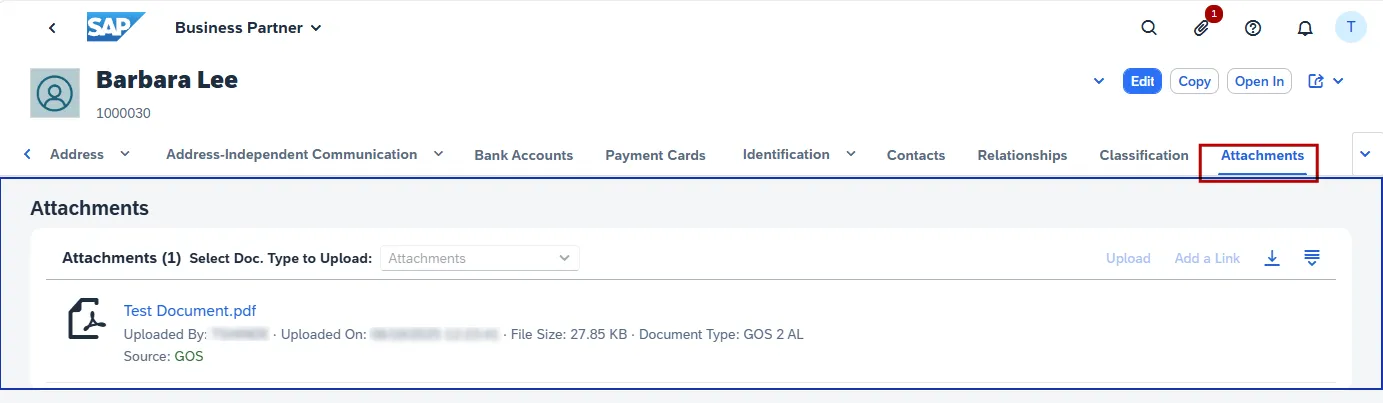
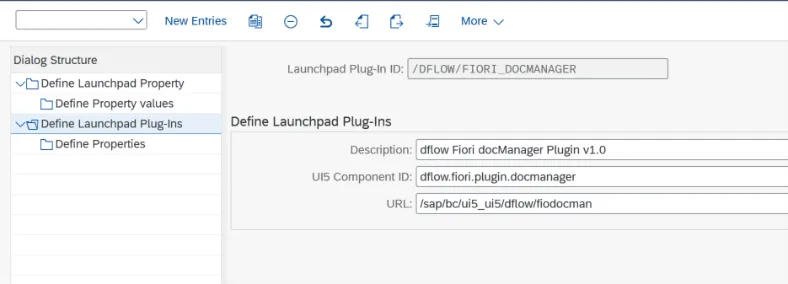
Properties: Below property definitions explained are key to the overall functioning of the plugin component. (These entries are delivered with package. Please consult your product support contact for any questions.) 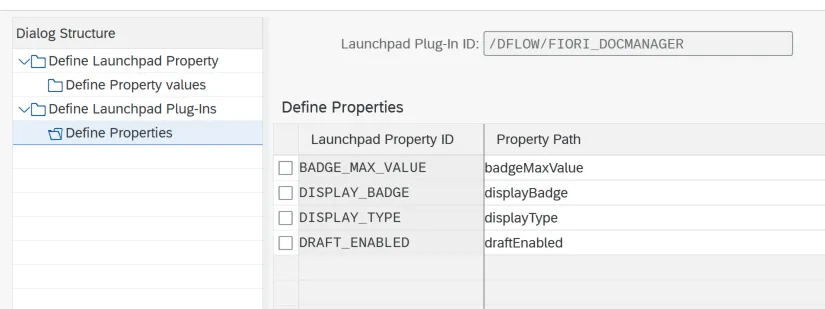 • BADGE_MAX_VALUE = badgeMaxValue - The maximum number to display in the buttons' badge. If the number of attachments is greater than the maximum number, the maximum number followed by a plus sign will be displayed. • DISPLAY_BADGE = displayBadge - Controls whether or not to display a badge next to the plugin button with the number of attachments. • DISPLAY_TYPE = displayType - Is linked to the appearance or user experience of the plugin which basically is defaulted to ‘Dialog’ but alternatively ‘Popover’ is supported too. • DRAFT_ENABLED = draftEnabled - This property is used to control the availability of draft feature in general. Enabling/Activating the Plugin (Customizing): /UI2/FLP_CUS_CONF → To make your plugin available in specific clients 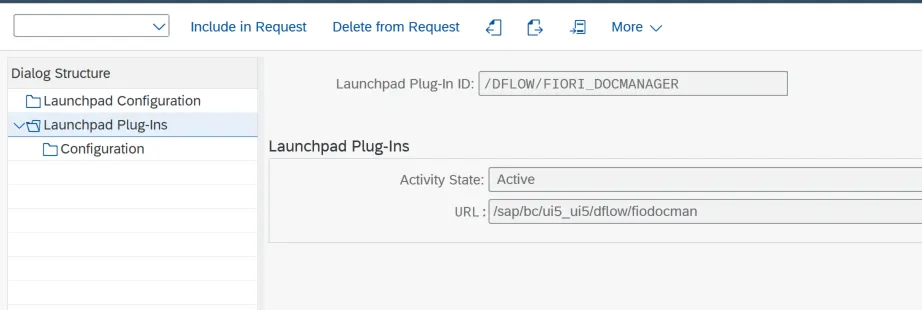 Property Values: Providing values to the property defined is performed in this transaction. These values govern the app behavior and shouldn’t be changed without consulting product support. Values are case-sensitive too. 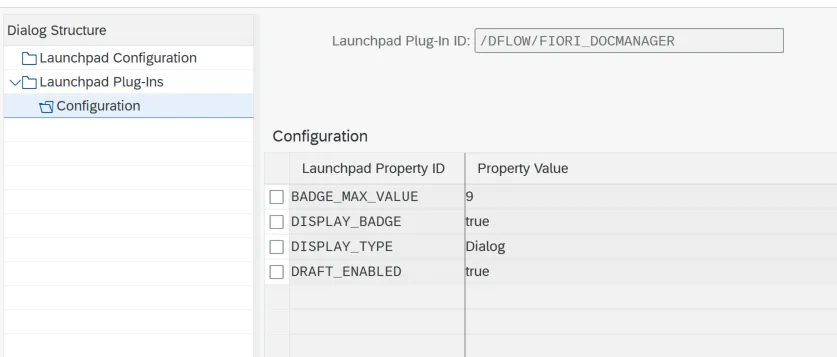 • UI Adaptation The DocManager plugin was developed to replace SAP’s standard Attachment Services UI, addressing its limitations and offering additional functionality. To prevent users from seeing the default “Attachments” tab in Fiori apps, use the Key User Adaptation approach to hide the standard “Attachment” feature wherever DocManager is enabled. Our solutions team will help adapting apps during implementation but for further details please refer to standard SAP guide here to learn more about pre-requisites and approach. • Plugin Activation Control: In addition to the core ECM configurations in order for the Fiori plugin to work we also deliver an configuration cluster /DFLOW/FDMCFG that can be accessed via T-Code /DFLOW/SYS -> Menu Path -> Configure -> “Attachment Services” -> “Fiori Options” to control the plugin activation per any standard or customer Fiori apps and along with other additional technical details. Our solutions team works with customers to identify potential SAP Business Processes to be enabled and accordingly help populate required information based on your SAP S/4HANA version. Below is a sample entry for activating DocManager plugin for Business Partner app. 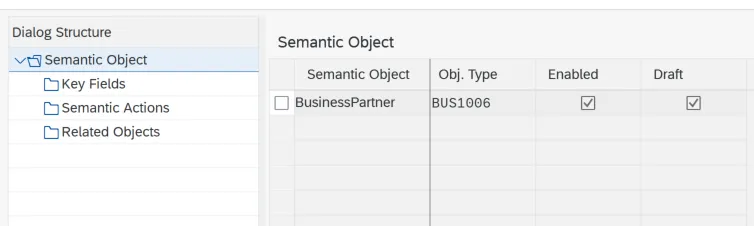 |
Validation Checklist |
|
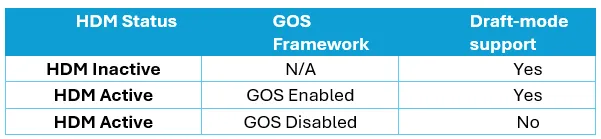
Technical Considerations – HDM Dependancies |
 |
Technical Considerations – Standard Fiori Apps |
 |
Technical Considerations – Custom Fiori Apps |
|
| |
To conclude, this page is updated from time to time and any discrepancies found please reach out to your customer success contact.